SANDBOXES
Safe code execution for AI agents
Persistent container environments with warm pools, resource limits, and full audit trails. Hardened by default.
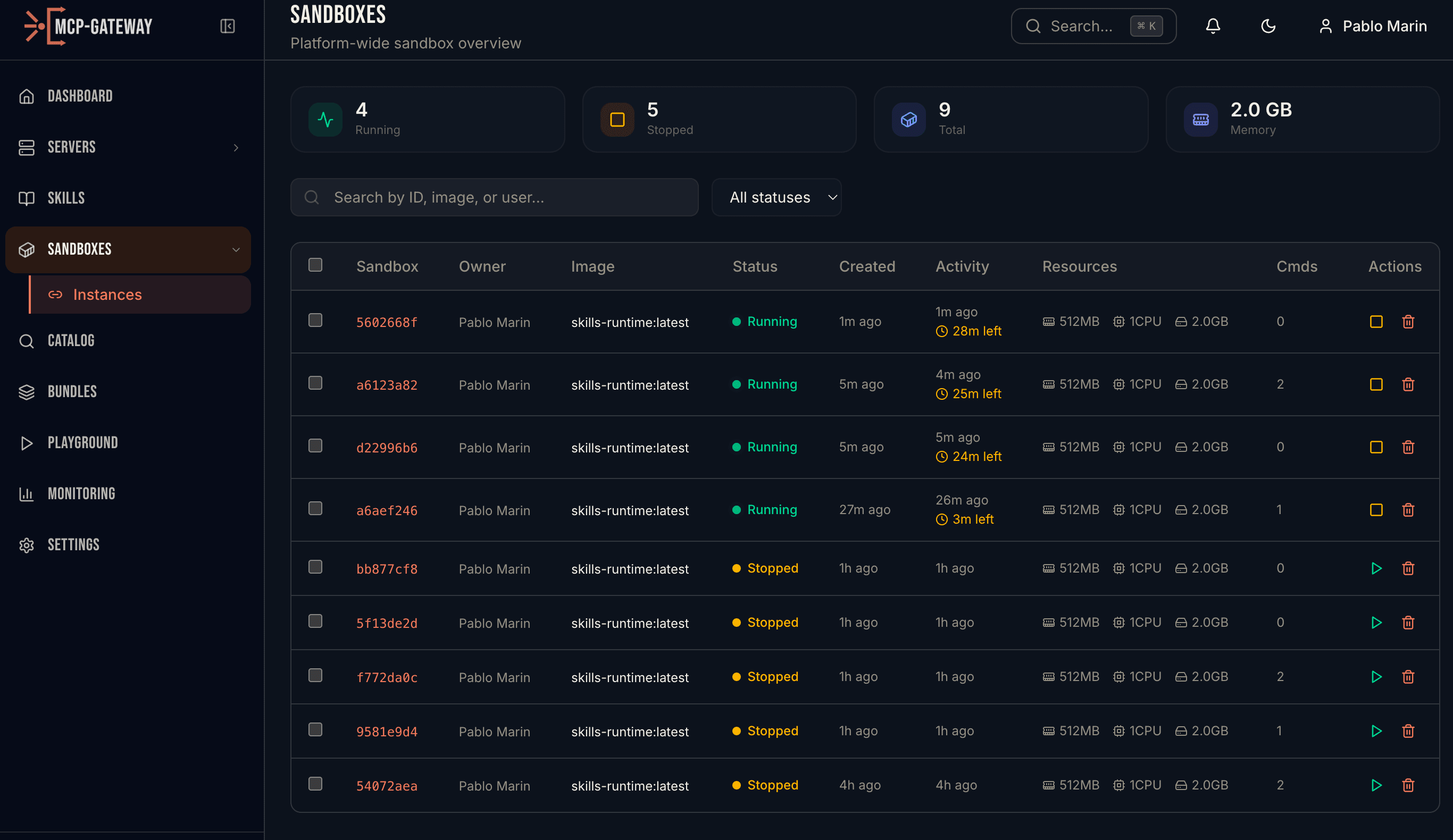
Sandbox instances with live status, resource allocation, and recent commands
HOW IT WORKS
Production-grade execution environments
Persistent Containers
Each sandbox gets a dedicated volume that survives stops and restarts. Session affinity ensures the same agent session reuses the same sandbox via session keys — no work is ever lost between tool calls.
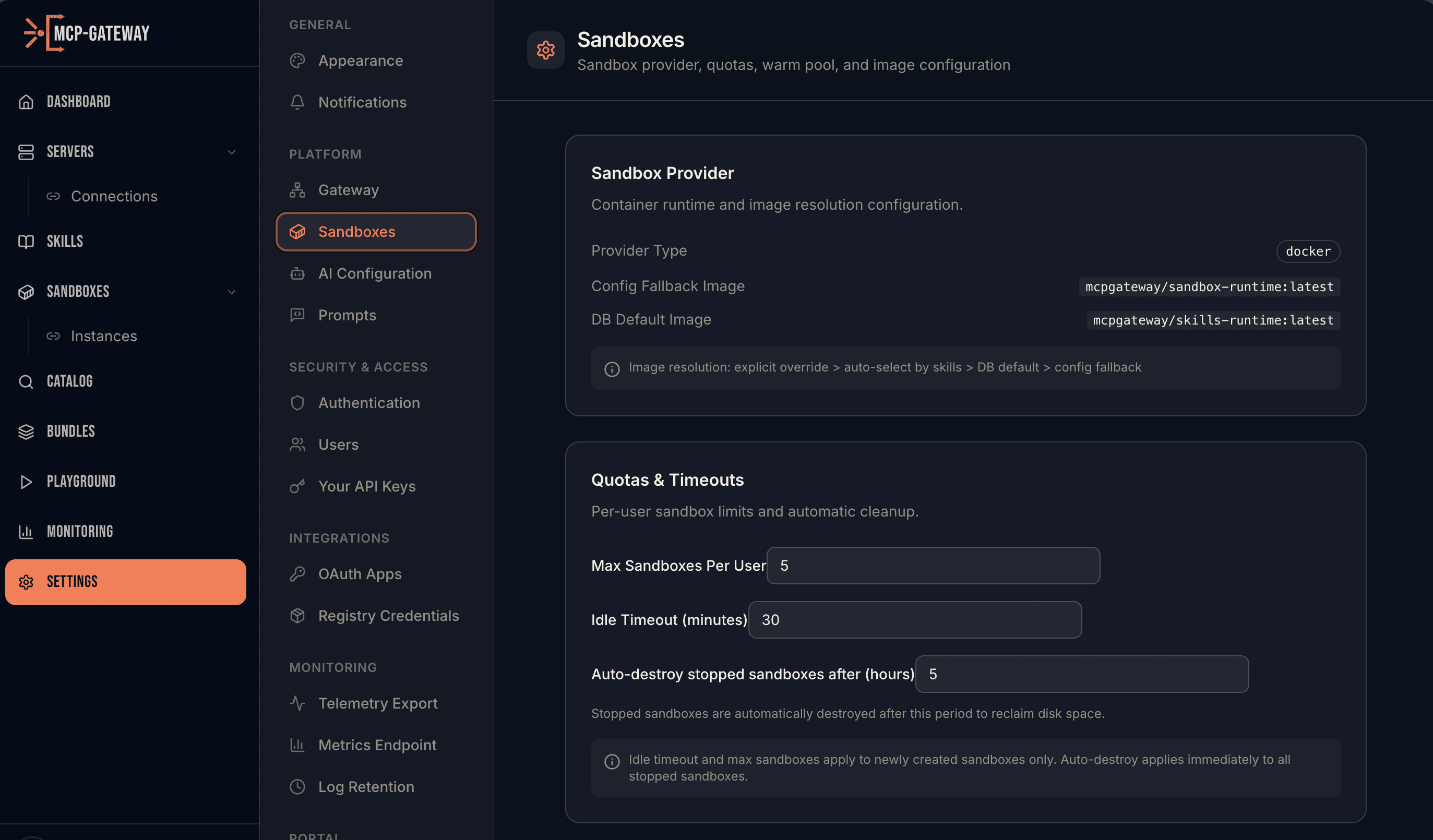
Configure sandbox provider, resource quotas, and idle timeouts
Warm Pool Architecture
Pre-warmed containers sit ready in a pool. When an agent needs a sandbox, allocation is sub-second — no cold starts. The lifecycle manager automatically replenishes the pool and cleans up idle sandboxes.
Warm Pool
Pre-warmed containers ready
Allocate
Sub-second, no cold start
Execute
Agent runs code safely
↻ Lifecycle Manager: auto-replenish pool · stop idle · destroy expired
Security Hardened
Every sandbox is locked down by default. No network access, no root privileges, no writable system files. Every command execution is logged with exit code, stdout, stderr, duration, and file changes.
File Management
Upload data files, execute code against them, and download results. The API tracks every file created or modified during execution. Build multi-step workflows: upload CSV → analyze → download chart.
Pre-built Image Catalog
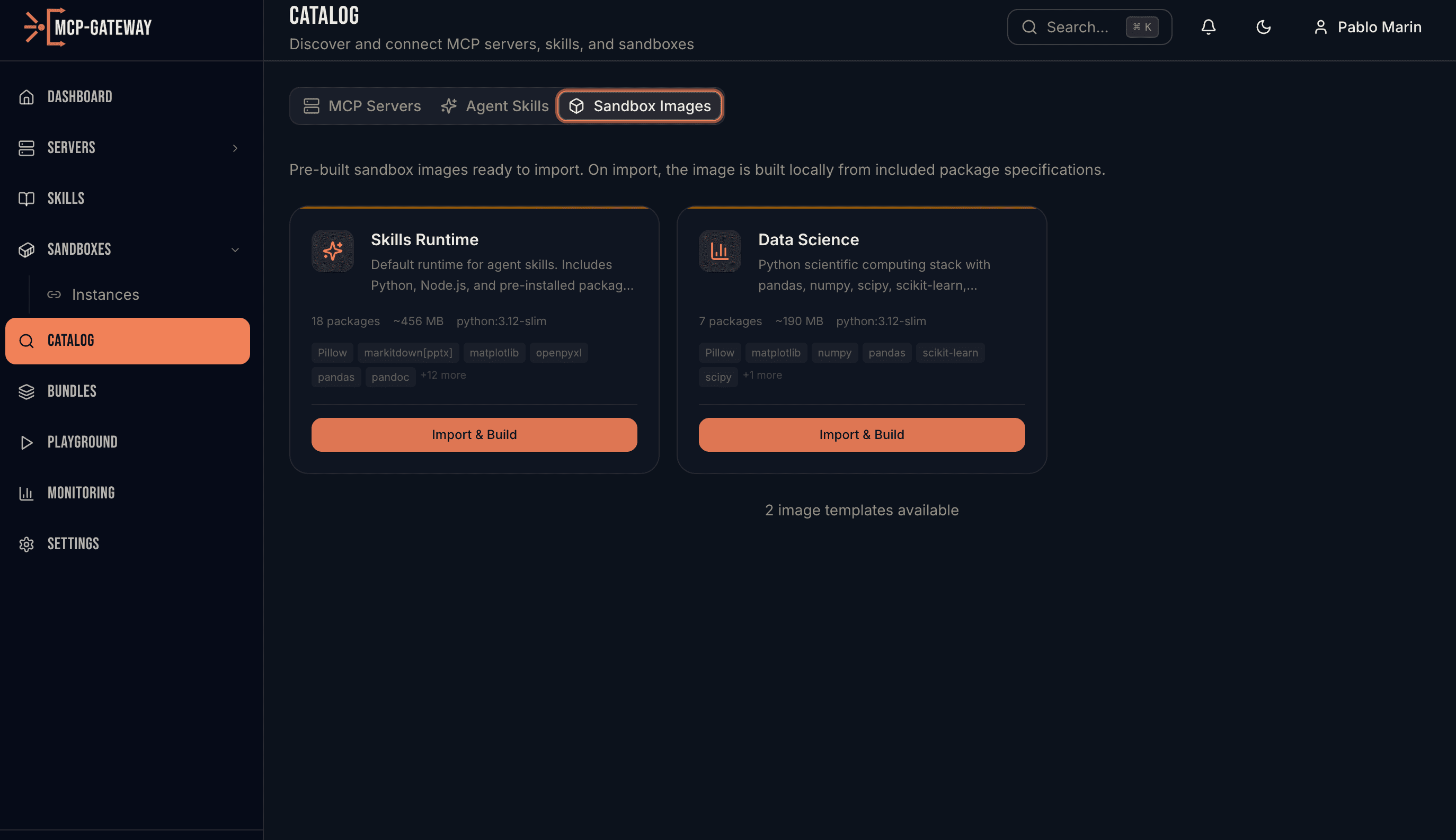
Choose from pre-built sandbox images: Skills Runtime (Python, Node.js, pre-installed packages) or Data Science (pandas, numpy, scipy, scikit-learn). Import with one click — the image builds locally from included package specs.
SDK REFERENCE
Python SDK
Create, execute, and manage sandboxes. Upload files, install skills, track every operation.
Ready to give your agents a safe place to execute?
Persistent sandboxes with warm pools, security hardening, and full audit trails.